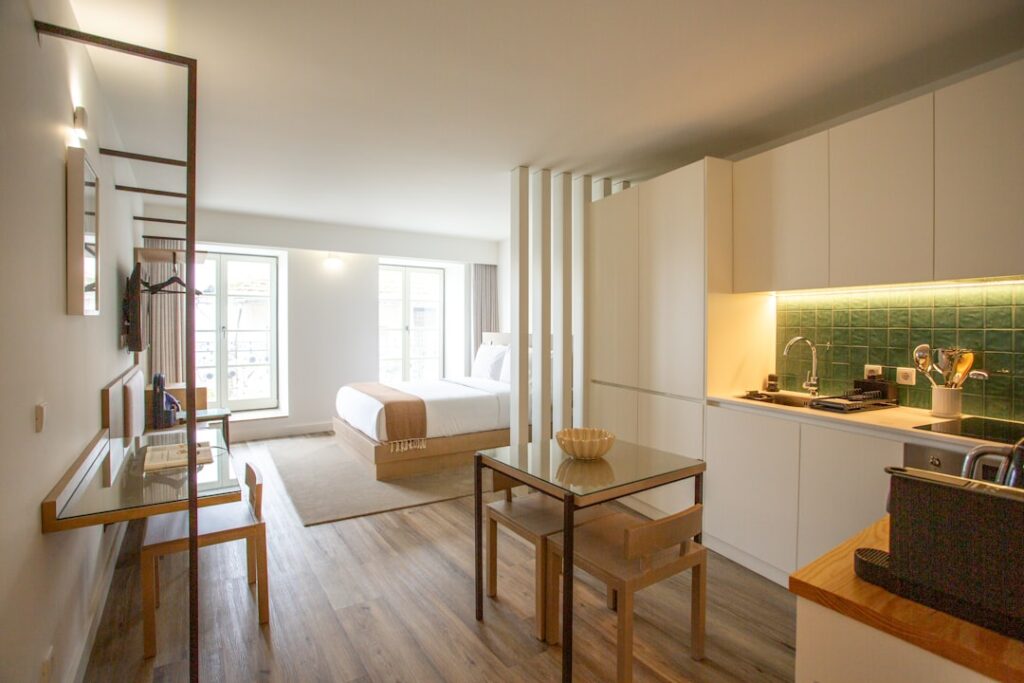
A studio apartment doesn’t have a spare room to turn into an office — the desk, the bed, and the router are all sharing the same few hundred square feet, and decisions that would be trivial in a bigger place (where does the desk face, where does the router sit) actually matter here.
The desk: face away from the bed, not toward it
It sounds like interior design advice, but it’s practical: facing your desk toward the bed means it’s the first and last thing you see all day, which makes it much harder to mentally clock out of work mode. Facing a wall or window, with the bed behind or beside you and out of camera view for video calls, does more for actually separating “home” from “work” than any amount of decor.
The router: it’s probably in the wrong spot for a studio too
In a studio, the router is often wherever the cable happens to enter, which might put your desk right next to it (fine) or on the opposite side of the apartment (not fine, though studios are small enough that this is rarely a severe problem). If your desk is more than a room-width from the router, the fixes are the same as anywhere: move the router toward the center, get it off the floor, and if you’re still not getting a strong signal at the desk, a wired Ethernet connection from router to desk solves it completely and is often simpler in a studio’s small footprint than in a larger apartment.
Managing the acoustic and visual side of video calls
A studio means your kitchen, your bed, and sometimes your laundry are all in the camera’s field of view unless you plan around it. A simple room divider, a strategically placed bookshelf, or just angling the desk toward a blank wall solves the visual side. For sound, a studio’s smaller volume actually helps with mic pickup, but hard surfaces (exposed brick, big windows) can create echo — a rug, curtains, or even a folded blanket behind you absorbs enough of it to make a real difference on calls.
Cable management matters more in a small space
With less room to hide things, visible cables and a cluttered power strip stand out more in a studio than they would in a dedicated office. A cable tray under the desk, or simply running cords along a wall with adhesive clips, is a fifteen-minute job that makes the whole setup feel less makeshift.
A practical setup checklist
- Desk facing a wall or window, bed out of camera frame
- Router moved toward the center of the apartment if it isn’t already
- Wired Ethernet to the desk if Wi-Fi at that spot isn’t strong
- Something soft (rug, curtains) near the desk to cut echo on calls
- Cables tidied along a wall or under the desk
When it’s worth calling someone
If Wi-Fi at your desk is still weak after moving the router, or you want a clean wired setup done properly, that’s a quick visit — part of the Wi-Fi and setup support we provide across the Upper West Side and Manhattan.
On-site and remote tech support for homes and small businesses across the Upper West Side and Manhattan.
Book a consultation (844) 915-4004
We value your opinion. If we have helped you, a quick review means a lot — leave one on Google. Thank you.