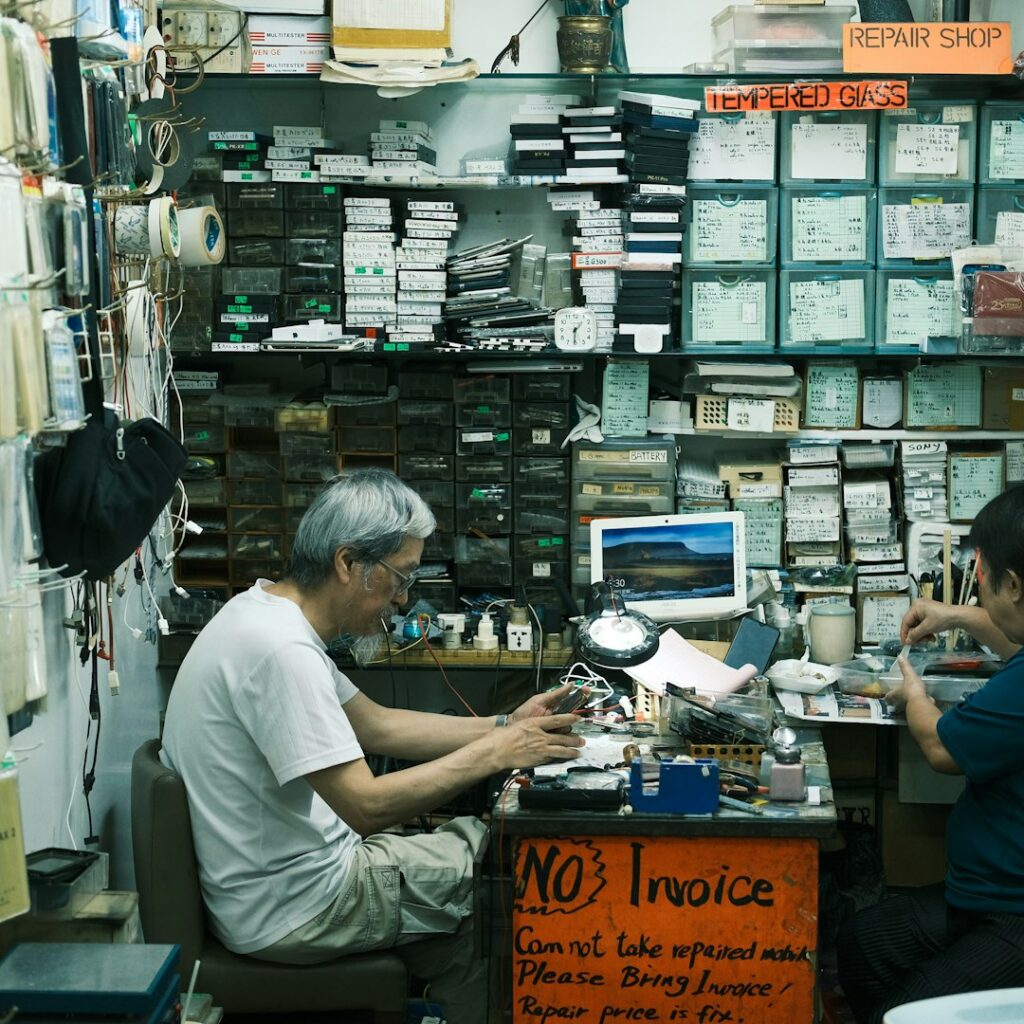
Your laptop won’t boot, or it’s crawling, or the screen is cracked. In Manhattan you have four realistic options, and they differ enormously in cost, speed, and what happens to your data. Here’s an honest comparison — including when each one is genuinely the right call, and when it isn’t.

Option 1: The manufacturer (Apple Store, Dell, Lenovo)
Best for: in-warranty hardware, AppleCare claims, battery and screen replacements on recent models, anything involving a logic board.
If your machine is under warranty or covered by AppleCare, start here — you’ve already paid for it. Genuine parts, proper diagnostics, and the repair is guaranteed.
Where it falls down: out of warranty, manufacturer pricing on a repair can approach the cost of a replacement machine, especially for screens and logic boards. Genius Bar appointments book out, and turnaround for anything sent to a depot can run a week or more. They also won’t touch a lot of what actually goes wrong — a machine that’s slow because of years of accumulated software, a mail account that stopped syncing, a backup that’s been silently failing. Those aren’t hardware problems, so they aren’t their problem.
Worth knowing: the manufacturer will generally not preserve your setup. You get a working machine back, not your working machine as you left it.
Option 2: An independent repair shop
Best for: out-of-warranty physical repairs — cracked screens, dead batteries, failed drives, liquid damage, port replacement.
Manhattan has good independent shops, and for physical repair they’re typically faster and meaningfully cheaper than the manufacturer. A screen that costs a fortune through official channels is often a fraction of that from a shop using third-party parts.
Where it falls down: quality varies enormously, and the business model is built around hardware. Drop-off means being without the machine for days. And the same limitation applies — a shop fixes the part, not your setup. Software problems, network problems, “it works but everything is wrong” problems are outside what most of them do well.
What to ask before you hand it over: Do you use original or third-party parts? What’s the warranty on the repair? What happens to my data — do you back it up first? Get the answer to that last one in writing. A drive wiped during a repair with no backup is the single most expensive mistake in this whole category.
Option 3: Remote support
Best for: software issues, email and account problems, printer and scanner setup, malware cleanup, teaching you how to do something.
Someone connects to your screen and fixes it while you watch. No travel, no drop-off, often same-day, and usually the cheapest option for anything that isn’t physical.
Where it falls down: it requires a working internet connection and a machine that boots. If the problem is that the computer won’t start, or the Wi-Fi is the thing that’s broken, remote support can’t reach it. It also can’t help with anything involving cables, routers, printers that need physical handling, or a desk setup that needs rearranging.
Important safety note: never allow remote access to someone who contacted you first. Unsolicited calls or pop-ups claiming to be from Microsoft, Apple, or your bank are the most common tech scam there is, and granting remote access hands over everything. Legitimate remote support happens only when you initiated the contact, to a company you chose.
Option 4: On-site support
Best for: anything involving more than one device, networks, printers, home offices, small offices, and anyone who’d rather not be without their machine.
Someone comes to your apartment or office. This is the right answer more often than people expect, because a large share of real-world problems are not confined to one computer: the Wi-Fi doesn’t reach the back bedroom, the printer keeps dropping off the network, the backup drive isn’t actually backing up, the new laptop needs everything moved over from the old one. None of that can be diagnosed from a repair counter.
It also means your machine never leaves your home, which removes the data-handling question entirely, and problems get fixed in the environment where they occur.
Where it falls down: it’s not the cheapest per hour, and it isn’t the right choice for a cracked screen or a failed logic board — those need a bench and parts. A good on-site provider will tell you when you’re better off at a repair shop rather than billing you to reach the same conclusion.
Choosing quickly
| Your situation | Start with |
|---|---|
| Under warranty or AppleCare | Manufacturer |
| Cracked screen, dead battery, liquid damage | Repair shop (or manufacturer if covered) |
| Won’t turn on at all | Repair shop or on-site diagnosis |
| Slow, but works | Remote or on-site — usually not hardware |
| Email, accounts, software, malware | Remote |
| Wi-Fi, printers, multiple devices | On-site |
| New computer, need everything moved over | On-site |
| Small office, several people affected | On-site |
Before any repair: back up
Whatever you choose, get your data off the machine first if it still turns on. An external drive and Time Machine on a Mac, or File History on Windows, takes an hour and removes the worst possible outcome from the table. If the machine won’t boot, say so clearly and ask explicitly about data recovery before authorizing any work — recovering a drive is a different job from replacing one, and it needs to be agreed up front.
Questions worth asking anyone
- What’s the diagnostic fee, and does it apply toward the repair?
- Will you tell me if the repair costs more than the machine is worth?
- What’s your warranty on the work?
- Will my data be preserved, and is it backed up before you start?
- What’s the realistic turnaround?
A provider who answers all five directly is worth more than one who’s slightly cheaper.
How we work
Tech Support NYC is on-site and remote support for the Upper West Side and Manhattan — homes, home offices, and small businesses. We handle the software, network, printer, backup, and setup side of things, and we’ll tell you honestly when what you actually need is a repair shop or an Apple Store rather than us. That’s usually a two-minute conversation, not a billable visit.
You can see what we cover here, or for a business with several machines, our small business IT support. To set something up, get in touch.
On-site and remote tech support for homes and small businesses across the Upper West Side and Manhattan.
Book a consultation (844) 915-4004
We value your opinion. If we have helped you, a quick review means a lot — leave one on Google. Thank you.