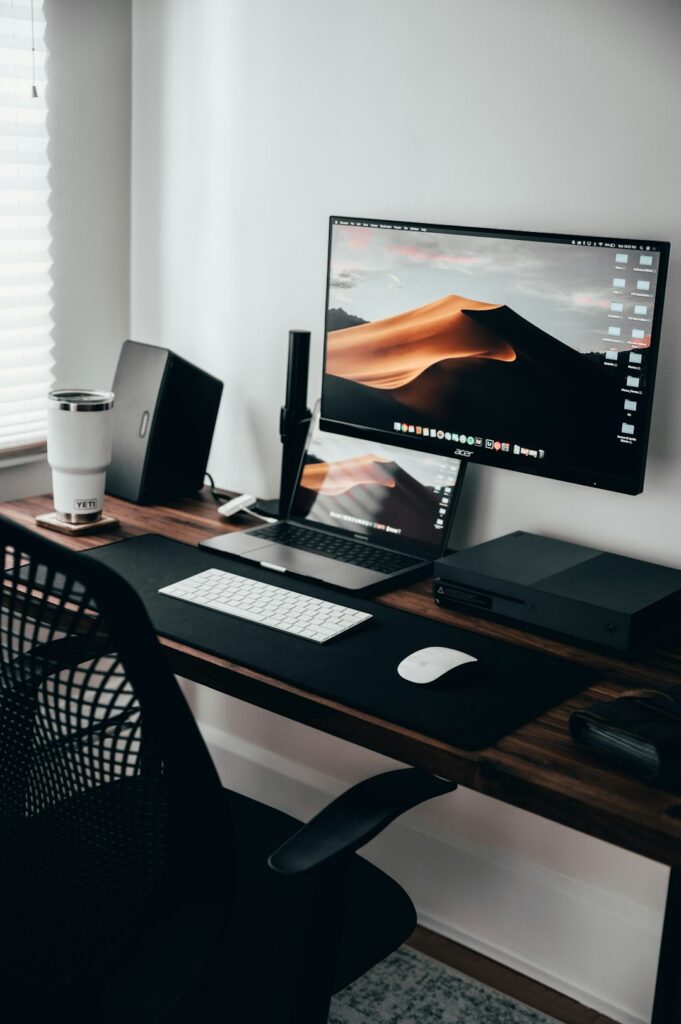
A one-bedroom gives you more to work with than a studio, but “more” in Manhattan still usually means a corner of the living room or a nook in the bedroom, not a dedicated fourth wall. The goal is a setup that works all day without taking over the apartment.
Choosing where the desk actually goes
The living room corner farthest from the main seating area usually works better than the bedroom for daytime focus and video calls — it keeps the bedroom as a place to actually leave work behind at the end of the day, and it’s typically closer to where the internet connection comes in, which matters more than people expect.
Wired beats Wi-Fi if you’re on video calls all day
In a one-bedroom, running a single Ethernet cable from the router to the desk — even along a baseboard, tucked under a rug, or through a cable raceway — gives you a rock-solid connection that doesn’t depend on Wi-Fi congestion or wall interference. This matters most if you’re on calls for hours daily; for lighter use, a strong Wi-Fi signal is usually fine.
If the router isn’t near the desk
Same principles as anywhere: try moving the router itself first (out of a cabinet, off the floor, toward the center of the apartment) before assuming you need new equipment. If the desk is on the opposite side of a prewar apartment’s plaster walls, that’s when a MoCA adapter (using existing cable TV coax) or a mesh node becomes worth it — we’ve covered the full breakdown of prewar Wi-Fi fixes if that’s your situation.
Making a shared space feel like an office during work hours
- A room divider or bookshelf creates a visual boundary in an open living room without needing a wall.
- A second monitor, even a modest one, makes a bigger difference to daily comfort than almost any other single purchase, and doesn’t take much desk space if wall-mounted or on a slim stand.
- Good lighting facing you, not behind you, matters more for video calls than camera quality — a $20 desk lamp facing your face beats an expensive webcam with a window glaring behind you.
- A setup that can visually “close” at day’s end — a laptop stand you fold away, a cover over the monitor — helps signal the workday is over even when the desk never physically leaves the living room.
Printer and shared equipment
If you need a printer, keep it on the same network segment as your main devices and give it a reserved IP address on your router so it doesn’t randomly stop being discoverable — a very common small-apartment printer complaint that has a simple fix.
When it’s worth calling someone
Getting the wiring, the Wi-Fi, and the desk setup right in one visit saves the trial-and-error of buying things that don’t end up solving the actual problem. Part of the home office setup support we provide across the Upper West Side and Manhattan.
On-site and remote tech support for homes and small businesses across the Upper West Side and Manhattan.
Book a consultation (844) 915-4004
We value your opinion. If we have helped you, a quick review means a lot — leave one on Google. Thank you.